New Portal Setup
External RADIUS + External Portal (End-to-End)
This is the correct setup for a fresh deployment. Omada captive portal + external RADIUS + PaySpot account entitlements.
Important Architecture Note
Omada External Web Portal flow requires an External RADIUS server path. PaySpot provides portal purchase/account APIs and RADIUS adapter HTTP endpoints, but your RADIUS service still needs to translate RADIUS requests/events to PaySpot API calls.
1) Prerequisites
- - Omada Controller v6+ with captive portal enabled on your target SSID.
- - A PaySpot tenant configured with Access mode = account_access.
- - A RADIUS service (or adapter) that can receive Omada RADIUS requests and call HTTP APIs.
Where to Click
- - PaySpot: /t/<slug>/admin -> Quick actions -> Configure architecture -> Access mode = account_access.
- - PaySpot plans: /t/<slug>/admin -> Plans section -> create/edit plans.
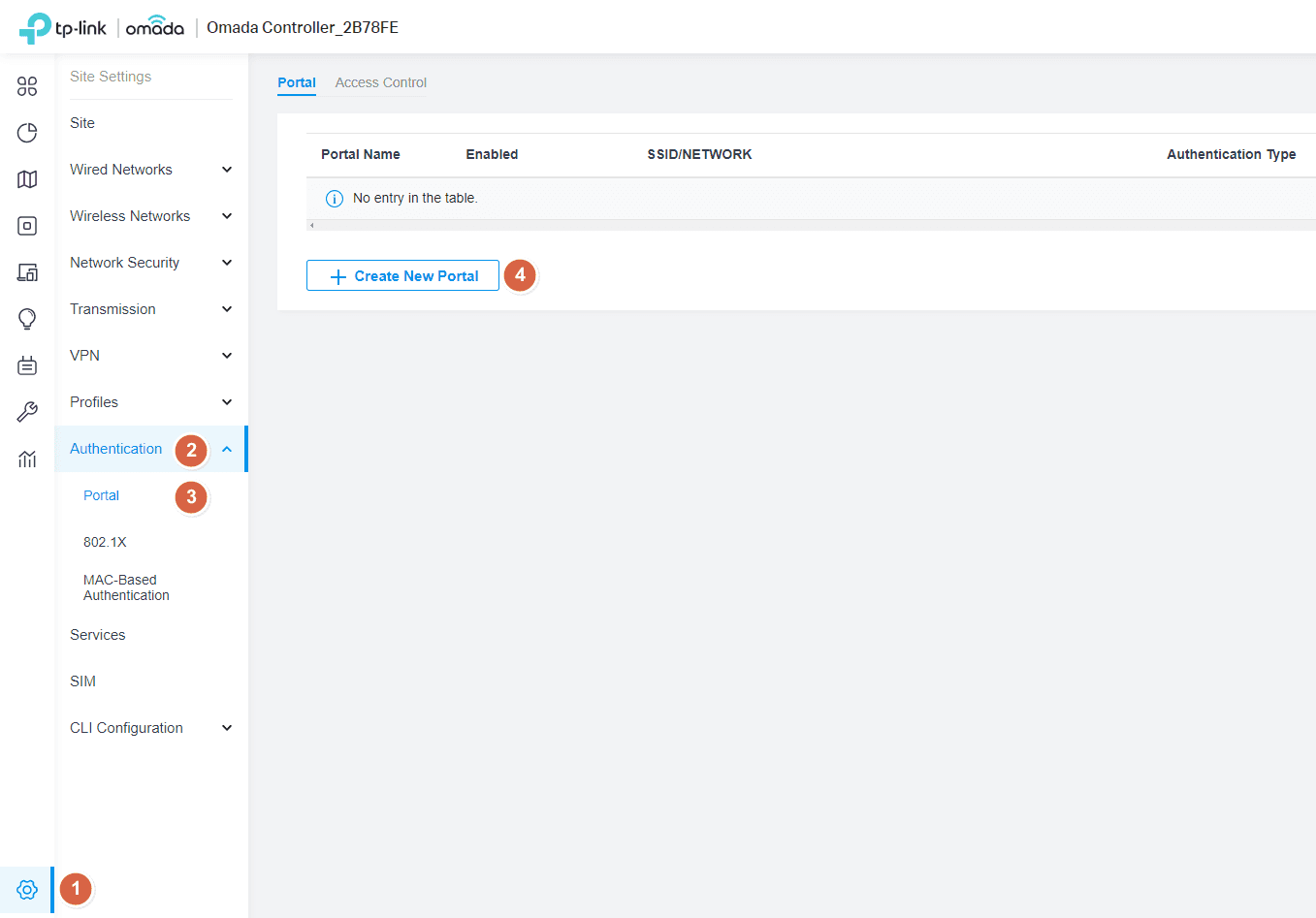
- - Omada portal screen: Settings (or Network Config) -> Portal -> edit portal profile.
- - Omada access control: Portal page -> Access Control tab -> External RADIUS Server.
2) PaySpot Tenant Setup
- 1. Go to Tenant Admin -> Configure architecture.
- 2. Set Access mode to Account access (External RADIUS).
- 3. Create plans with voucher validity and price.
- 4. Set optional policy fields: maxDevices, bandwidthProfile, dataLimitMb.
- 5. Run one test purchase from /t/<slug> to confirm entitlement creation.
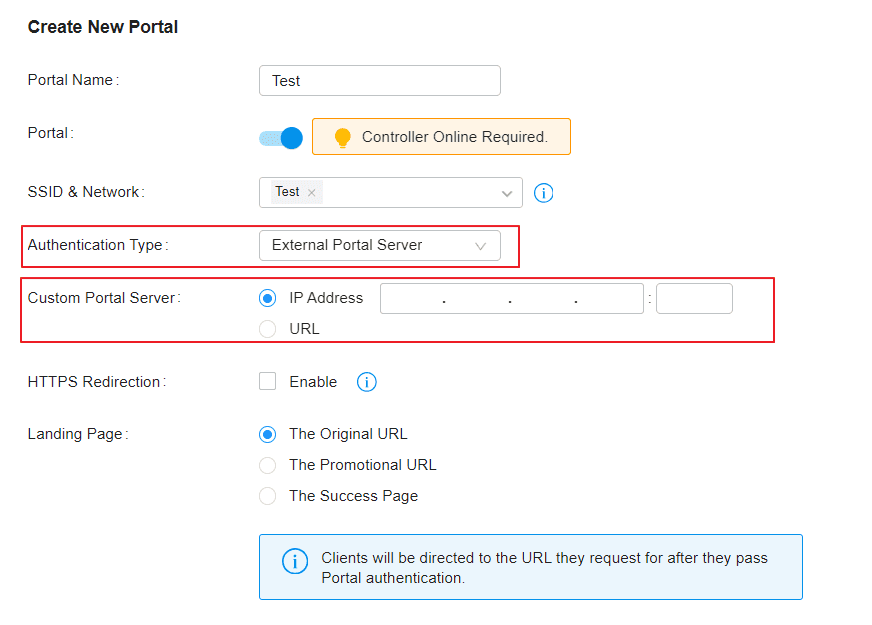
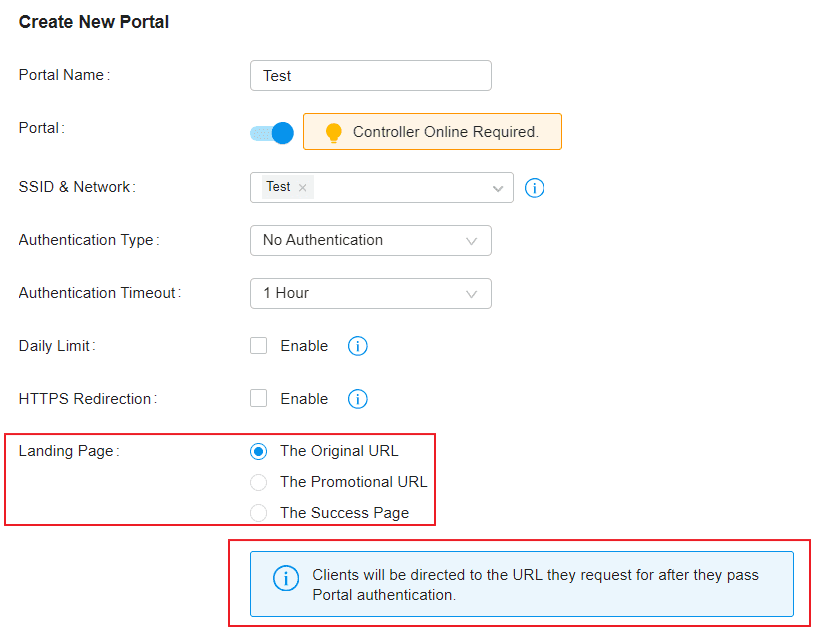
3) Omada Portal Tab Settings
- - Portal = Enable
- - SSID & Network = your hotspot SSID
- - Authentication Type = Hotspot
- - Type = RADIUS (disable Voucher)
- - HTTPS Redirection = Enable
- - Landing Page = The Original URL or your preferred post-auth redirect
4) Omada Access Control (RADIUS) Settings
- - Access Control tab -> set Auth Type = External RADIUS Server.
- - Set Authentication server and port (usually 1812).
- - Enable Accounting server and port (usually 1813).
- - Set shared secret to match your RADIUS service.
- - Apply and bind this profile to the portal policy.
5) Connect RADIUS Service to PaySpot
- - Authorize endpoint: POST /api/t/<slug>/radius/authorize with x-radius-adapter-secret header.
- - Authorize body: { username, password }.
- - On accept=true, use reply.maxDevices/reply.bandwidthProfile/reply.dataLimitMb/reply.sessionTimeout in policy mapping.
- - Accounting endpoint: POST /api/t/<slug>/radius/accounting with same header.
- - Accounting body: event(start|interim-update|stop), sessionId, subscriberId/entitlementId, octets.
PaySpot endpoints
POST /api/t/<slug>/radius/authorize
POST /api/t/<slug>/radius/accounting
Required header: x-radius-adapter-secret
6) Validation Checklist
- - Client joins SSID and is redirected to portal/login flow.
- - Subscriber can sign up/login and purchase a plan.
- - RADIUS auth returns allow for active entitlement.
- - Internet access starts immediately after successful auth.
- - Simultaneous device limit follows maxDevices.
- - Usage accounting events update correctly until stop event.
Omada Screenshots (Official)