Captive Portal Allowlist
Omada pre-authentication access for PaySpot
Add only the domains customers need before authentication. Fast Transfer and GTBank USSD stay on PaySpot, so Paystack browser domains are needed only when the tenant offers Fast Pay Card or normal Paystack checkout.
When this is needed
- Users must open PaySpot before they are authenticated on the hotspot.
- The captive page has a Buy Voucher button.
- Customers use PaySpot Fast Transfer, Card, or the normal Paystack checkout.
- Omada is using External Web Portal for RADIUS/account access.
Where to configure it
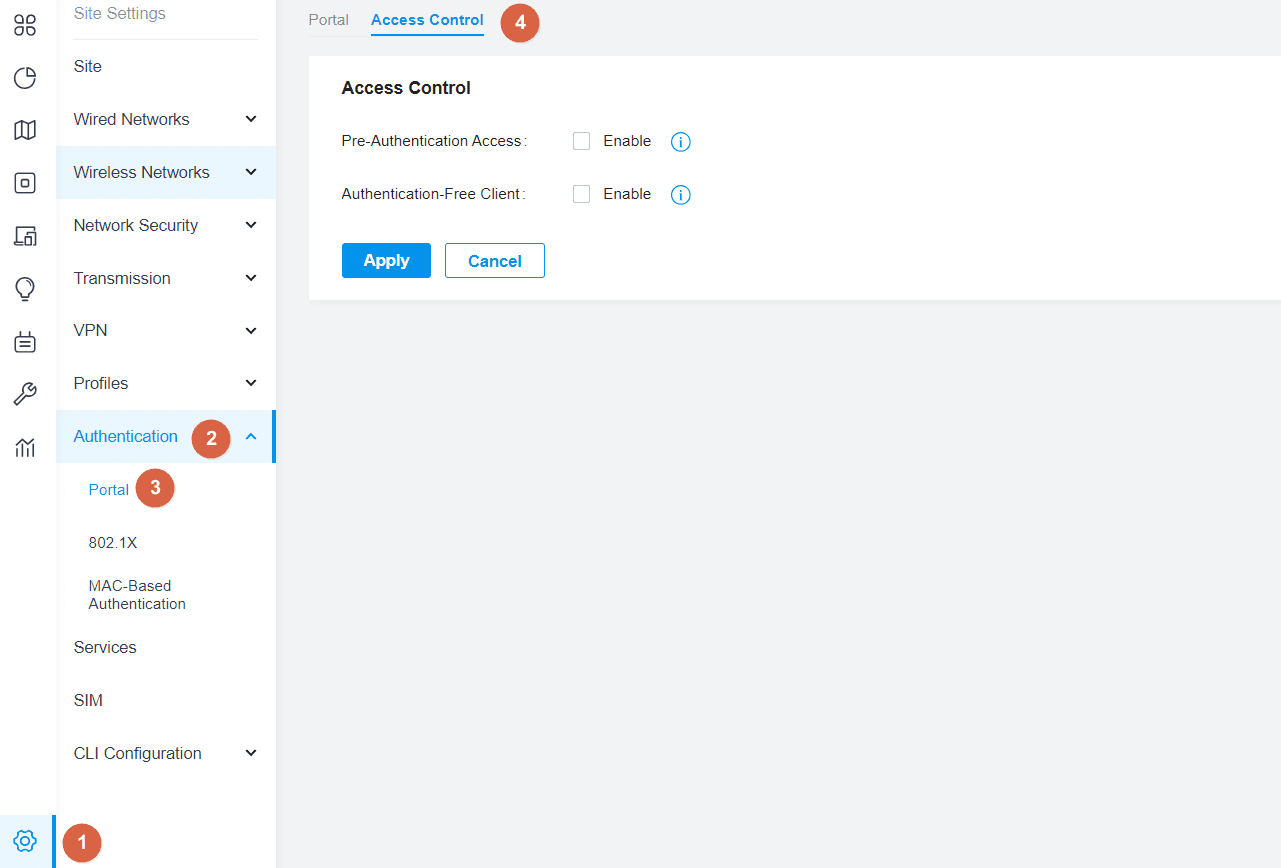
- Omada v5.9 to v6: Site Settings -> Authentication -> Portal -> Access Control.
- Omada v6.2+: Site View -> Network Config -> Authentication -> Portal -> Access Control.
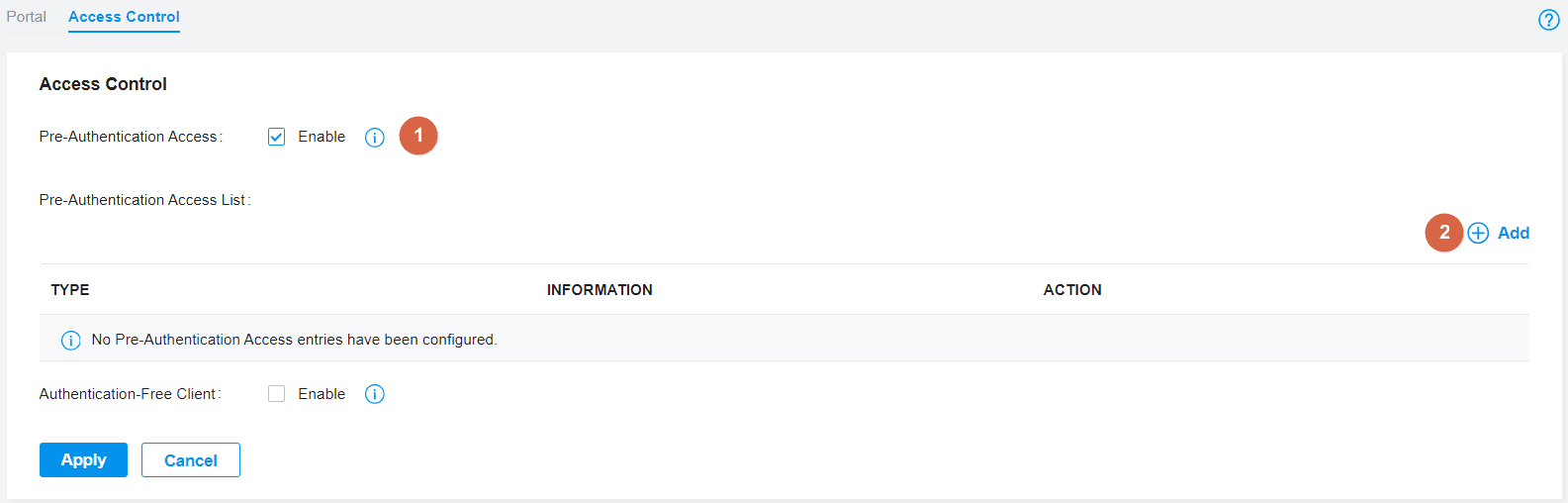
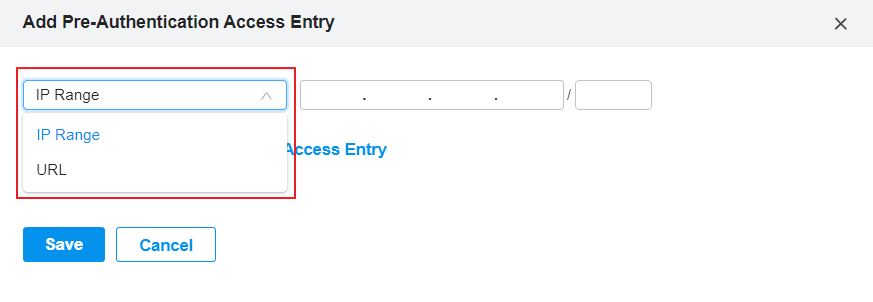
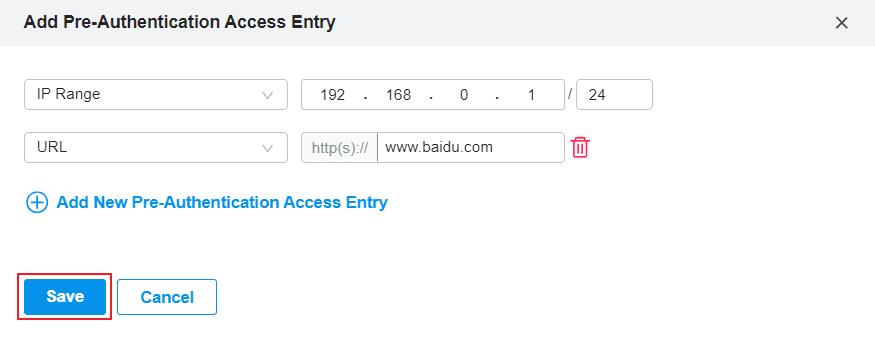
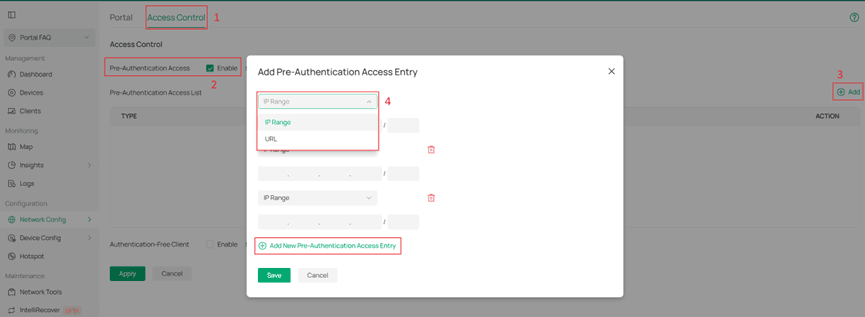
- Enable Pre-Authentication Access, click Add, choose URL or IP Range, then Save and Apply.
PaySpot imported portal entries
- Imported PaySpot HTML runs from Omada, so the HTML file itself does not need an allowlist entry.
- Add payspot.abdxl.cloud so the Buy Voucher link can open before authentication.
- Add the tenant custom PaySpot domain too, if one is used.
- Add a separate portal host only when the page is hosted outside Omada instead of imported.
- Use URL entries for hostnames; use IP Range only for local controller or gateway addresses.
Official Omada Screenshots
Minimum entries
- payspot.abdxl.cloud
- Tenant custom domain, if used, for example wifi.example.com
- Custom portal host, if different from PaySpot
Fast Transfer and checkout entries
- Fast Transfer and GTBank USSD need only the PaySpot hostname; the selected payment provider is contacted by the server.
- Fast Pay Card can open Paystack or Flutterwave's hosted payment page. Allow the matching provider domains and challenges.cloudflare.com.
- For Paystack Card: add checkout.paystack.com, js.paystack.co, api.paystack.co, standard.paystack.co, and optionally *.paystack.com / *.paystack.co.
- For Flutterwave Card: add checkout.flutterwave.com, flutterwave.com, *.flutterwave.com, and api.flutterwave.com.
External RADIUS browserauth note
In External Web Portal mode, PaySpot sends the browser back to Omada's/portal/radius/browserauthendpoint. If the client browser cannot submit to the controller, add the controller IP or hostname shown in Omada's target parameter.